How to Attract Remote Workers to a Vacation Rental
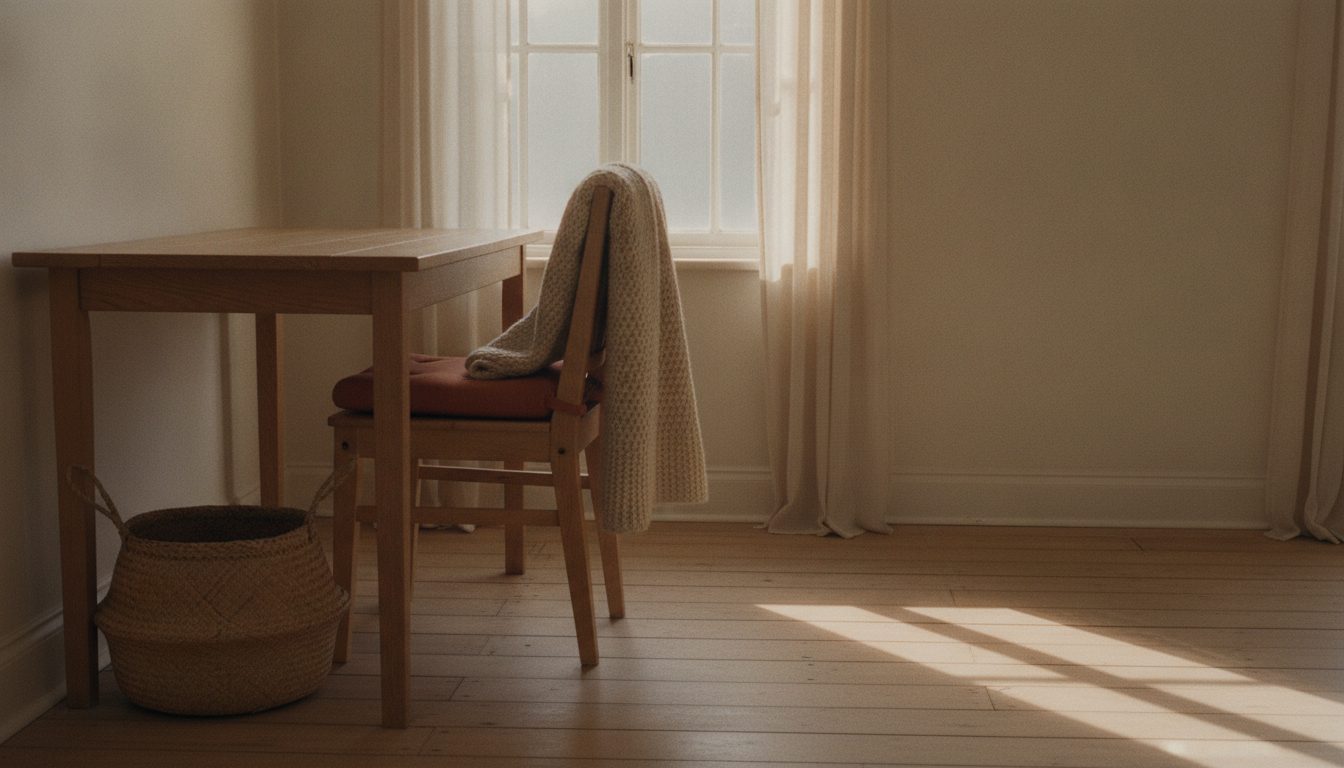
To attract remote workers to a vacation rental, show the workspace, name the internet speed, and offer a rate that rewards a longer stay. Most of these guests book a week or a month at a time, and they need to get real work done while they are there.
What remote workers check for before booking
A traveler working from the rental reads a listing like a tenant reads an apartment ad. They look past the pool photo and hunt for a desk. Then they check whether the internet is described with a number or just called "fast." A photo of a chair that is not a beanbag answers a question the description cannot.
They also check the noise situation. A rental next to a busy road or a bar strip loses this guest fast. A bad video call ruins a whole afternoon. If your place is genuinely quiet, say that directly instead of leaving it implied.
Cancellation terms matter more here too. A remote worker booking three weeks out wants to know the policy before they commit their schedule around it.
Printers and scanners rarely make or break a booking, but a good phone signal does. Some rural and cabin properties sit in a dead zone for one carrier and get full bars on another. If you know which carriers work well at the property, say so. A remote worker who relies on a hotspot as backup needs that answer before they book, before they arrive to no signal.
Workspace details worth describing
Describe the desk itself, beyond just naming the room it sits in. Say whether it faces a window or a wall. Say whether the chair has back support. Say whether the surface is big enough for two monitors. A remote worker pictures their actual laptop setup on that desk, so a vague phrase like "workspace available" does not help them picture anything.
Mention outlet placement near the desk. It sounds minor, but a desk across the room from the nearest outlet means a cord running across the floor for a month. Note if a second monitor is on site. Some hosts keep one for exactly this guest and never mention it in the listing.
If there is a second quiet room, even a bedroom that doubles as an office, say so. Couples who both work remotely need two spots for calls that cannot overlap. A listing that only shows one desk loses that booking before it starts.
Internet and quiet space signals
State the actual internet speed as a number, not the word "wifi" alone. A figure like "300 Mbps fiber" tells a remote worker more than any adjective could. If you do not know your speed, run a test from the property and put the result in the listing.
Note whether the connection near the desk is wired or wifi only. A weak wifi signal is a common complaint in an otherwise good rental. If the property is in a rural or cabin setting where connectivity can be inconsistent, say that honestly rather than promising something the signal cannot back up.
Describe the quiet hours or general noise level of the building or street. A remote worker on back to back calls needs to know that before booking.
Platform filters that put you in front of remote workers
Airbnb lists a dedicated workspace as a searchable amenity, as of this writing. A traveler filtering for it only sees listings that checked the box, so an unchecked box hides a desk you actually have. Check it only when the workspace is real. A dining chair pulled up to a console table does not count in this guest's mind.
Airbnb's app also lets you run a wifi speed test from inside the listing tools, so the measured number appears on the listing itself. A verified figure carries more weight with this guest than the same number typed into the description. Run the test near the desk rather than next to the router.
On platforms without a workspace filter, put the desk photo early in the photo order and name the speed in the first lines of the description. A remote worker scanning fast should hit both within seconds.
Positioning for longer stays
Remote workers often stay longer than a typical guest, sometimes a week, sometimes a full month. Structure discounts for those longer stays so the listing algorithm and the guest both see the incentive. A guest comparing a week at full nightly rate against a week with a weekly discount picks the discount, even at a similar total.
| Stay length | Discount hosts commonly use | What the guest compares you against |
|---|---|---|
| 3 to 6 nights | None, or a small one | A hotel |
| 7 to 27 nights | Weekly discount, commonly 5-10% | A short term rental in another city |
| 28 nights or more | Monthly discount, commonly 10-25% | Their own rent back home |
Airbnb applies the weekly rate from 7 nights and the monthly rate from 28 nights, as of this writing, so set both fields. Pick your exact percentage from your own season and market. The point of the ranges is the shift in what your rate gets compared against as stays get longer.
Make the kitchen genuinely usable for someone cooking most meals at home instead of eating out every night. A full set of pots, a working coffee maker, and basic pantry items matter more to a month long guest than a decorative fruit bowl. A broader list of what to feature across a listing sits in this guide to highlighting unique amenities.
Wording that speaks to this guest type
Use the phrase "work from" or "remote work friendly" in the listing title or opening line if your platform allows it. A remote worker searching often types something close to that phrase. A listing that echoes it back reads as built for them.
Skip generic phrases like "perfect for digital nomads" without backing them up. Say what actually makes the place work: the desk, the speed, the quiet, the weekly rate. For help rewriting the listing copy around a specific traveler type, the listing optimization workbook has a section built for exactly this.
A remote worker who books once and gets a real week of work done tends to come back for a change of scenery later. That repeat booking is worth the extra effort the listing takes to write well.
None of this requires renovating the property. A decent chair, a measured internet speed, the workspace box checked, and honest wording about noise cover most of what this guest is screening for. The rest of the listing can stay exactly as it is for every other type of traveler.
How to Highlight Unique Amenities in a Rental Listing
Name the standout amenity early, give it one specific sentence, and give it a photo of its own. A feature buried in a long list never sells.

How to Build Local Business Partnerships for a Vacation Rental
Trade referrals with nearby shops, guides, and restaurants so a vacation rental gets recommended locally. With a walk-in pitch script and fee guardrails.

How to Set Up a Google Business Profile for a Rental
Set up a Google Business Profile for a vacation rental in seven steps, from name and category to video verification and address visibility.